
Auto-Generate YouTube Timestamps and Chapters with This Free AI Tool
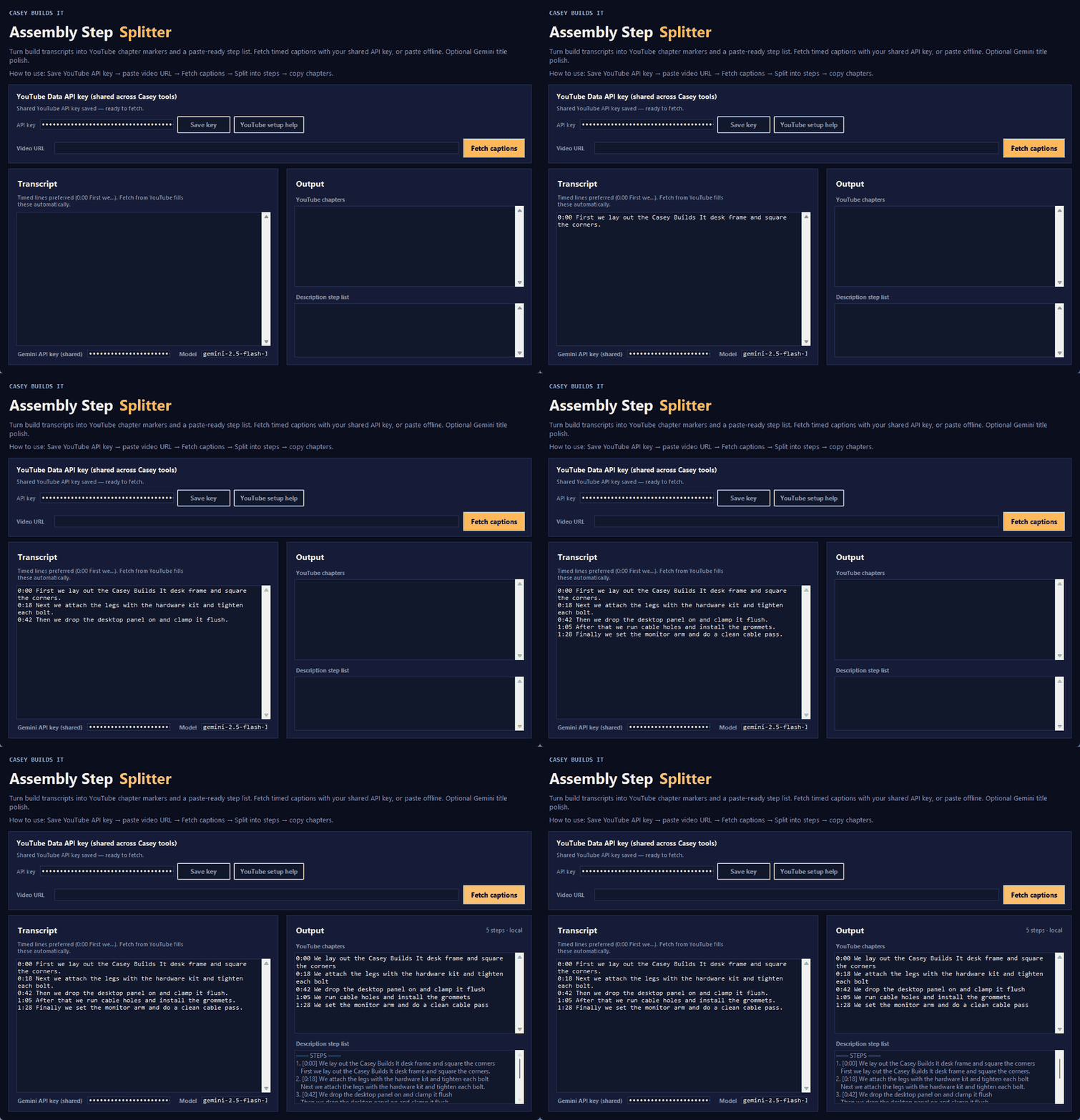
Writing timestamps and chapters after you've already spent hours editing is one of those tasks that eats way more time than it should. This build fixes that problem for good. Meet the Assembly Step Splitter, a tool that takes any YouTube transcript and turns it into ready-to-paste chapters in seconds.
What This Tool Does
The Assembly Step Splitter pulls captions straight from a YouTube video and breaks the transcript into clear steps and chapters automatically. Instead of scrubbing through footage trying to remember where each section starts, you get a clean list of timestamps you can drop right into your video description.
Why It Matters
Chapters make your videos easier to navigate, which keeps viewers watching longer and makes your content look more polished. The problem is that building them manually is tedious, repetitive work that usually happens at the end of a long editing session when you have the least patience for it. Automating this step means your subscribers get a better viewing experience without adding extra time to your workflow.
How the Build Works
Here's the basic flow of the tool:
- Paste in a video link
- Pull the captions using a free YouTube Data v3 API key
- Let the tool break the transcript into steps and chapters
- Optionally run the output through Gemini AI for a quick polish on the titles
- Copy the finished chapters and paste them into your video description
This tool was built using Cursor AI, and the process behind it follows the same approach used across other tools on the site: set up an API key once, and it carries over to other tools with the same styling, so there's no need to re-enter it every time.
What You'll Need
- A free YouTube Data v3 API key to fetch captions
- An optional Gemini API key if you want AI-enhanced chapter titles
Key Takeaways
- Turns any YouTube transcript into ready-to-use chapters
- Saves the manual work of scrubbing through footage for timestamps
- Optional AI polish step for cleaner chapter titles
- Built with Cursor AI using a simple, repeatable process
- API key setup carries over to other tools with the same styling
If you've got questions about setup or want to request a new tool, reach out through the site. Subscribe for more build-in-public tutorials covering free tools built with Cursor AI and no-code methods designed to save creators time.