
Stop Retyping Your YouTube Sponsor Blocks Every Single Upload
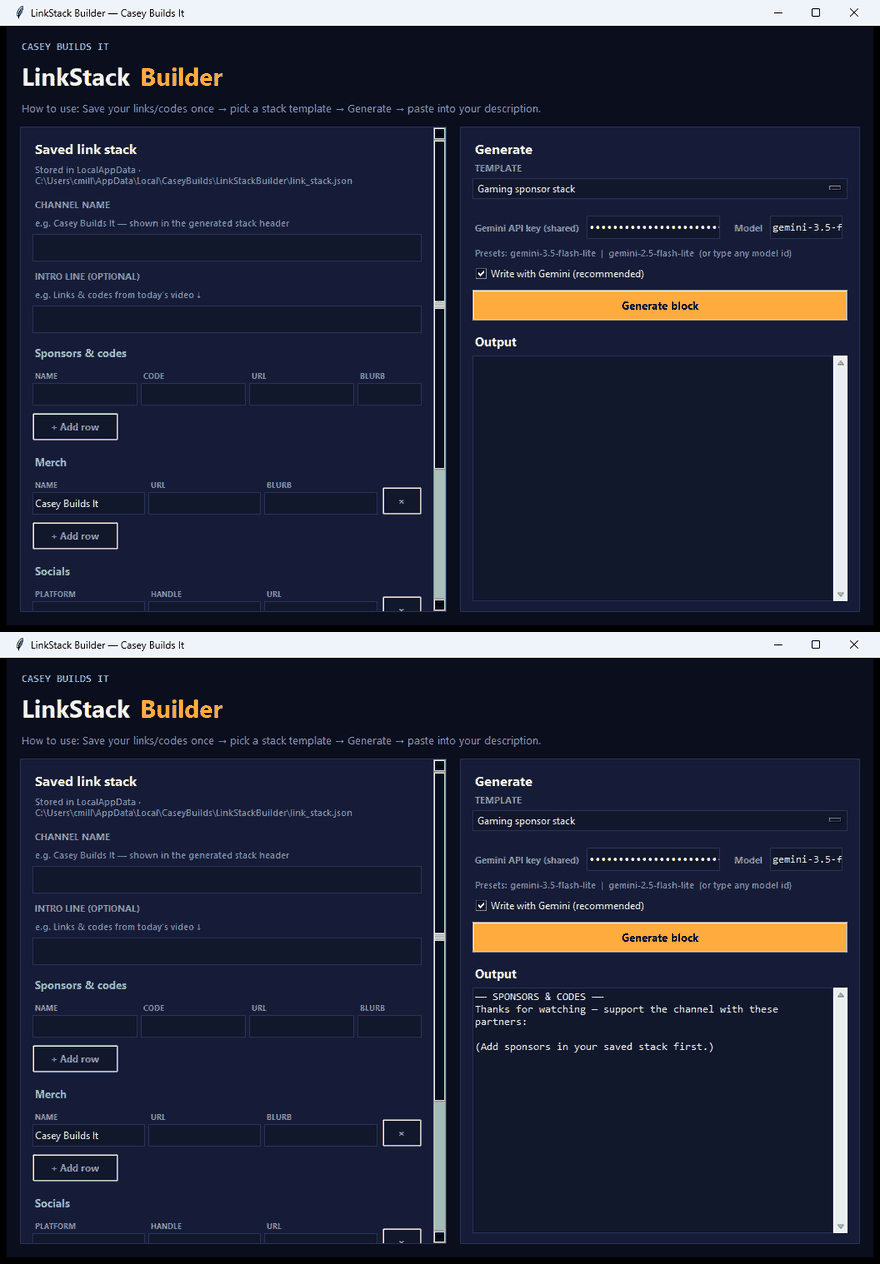
If you upload on any kind of regular schedule, you already know the real time sink isn't editing or thumbnails, it's the boring admin work right before you hit publish. Digging through old descriptions, copy-pasting sponsor codes, affiliate links, socials, and disclaimers, then hoping you didn't leave in an expired promo code or a broken UTM tag. This build kills that entire workflow and generates a clean, ready-to-paste description block in seconds.
The Problem: Upload Admin Eats Your Time
Every creator hits the same wall before publishing. You're not editing anymore, you're hunting through old text files trying to remember which sponsor code is current, which affiliate link is still active, and whether your disclaimers are up to date. It's repetitive, error-prone, and completely unnecessary busywork that has nothing to do with actually making content.
What Link Stack Builder Does
Link Stack Builder is a small Python desktop app built to solve this exact problem. Instead of copy-pasting the same links and codes over and over, you save your recurring sponsor codes, affiliate links, socials, and disclaimers once as a reusable "stack."
From there, you pick a template and hit generate. The tool automatically assembles your header line, custom intro text, and sponsor rows, then runs everything through Gemini for an AI-first polish so the final output is clean, consistent, and instantly uploadable.
Why This Matters
This isn't about saving a few seconds here and there. It's about removing an entire category of manual error from your workflow. No more hunting through old descriptions, no more forgotten links, no more expired promo codes slipping through, and no more manual copy-paste mistakes before every single upload.
How It Was Built
This app was built entirely in Cursor using Cursor AI, which means you don't need to know how to code to use it or understand how it works under the hood. The build process focused on keeping the tool simple: define your stack once, pick a template, generate, and paste. That's the whole workflow.
Key Takeaways
- Save sponsor codes, affiliate links, socials, and disclaimers once as a reusable stack
- Generate a full, polished description block in seconds instead of minutes
- AI-first polish via Gemini keeps output clean and consistent every time
- Runs locally as a desktop app, no coding knowledge required
- Fully customizable if you want to adjust it to your own channel's workflow
Make It Your Own
Because this was built with Cursor AI, the full build prompt is part of the project too. That means you can open it up in Cursor or any AI tool, tweak the logic, add new features, or reshape it entirely to match how your own channel operates. It's a starting point, not a locked box.
Got a repetitive creator task you want automated next? Drop it in the comments and follow along for more build breakdowns like this one.