
Plan the hype before your big reveal (use this FREE Cursor Tool)
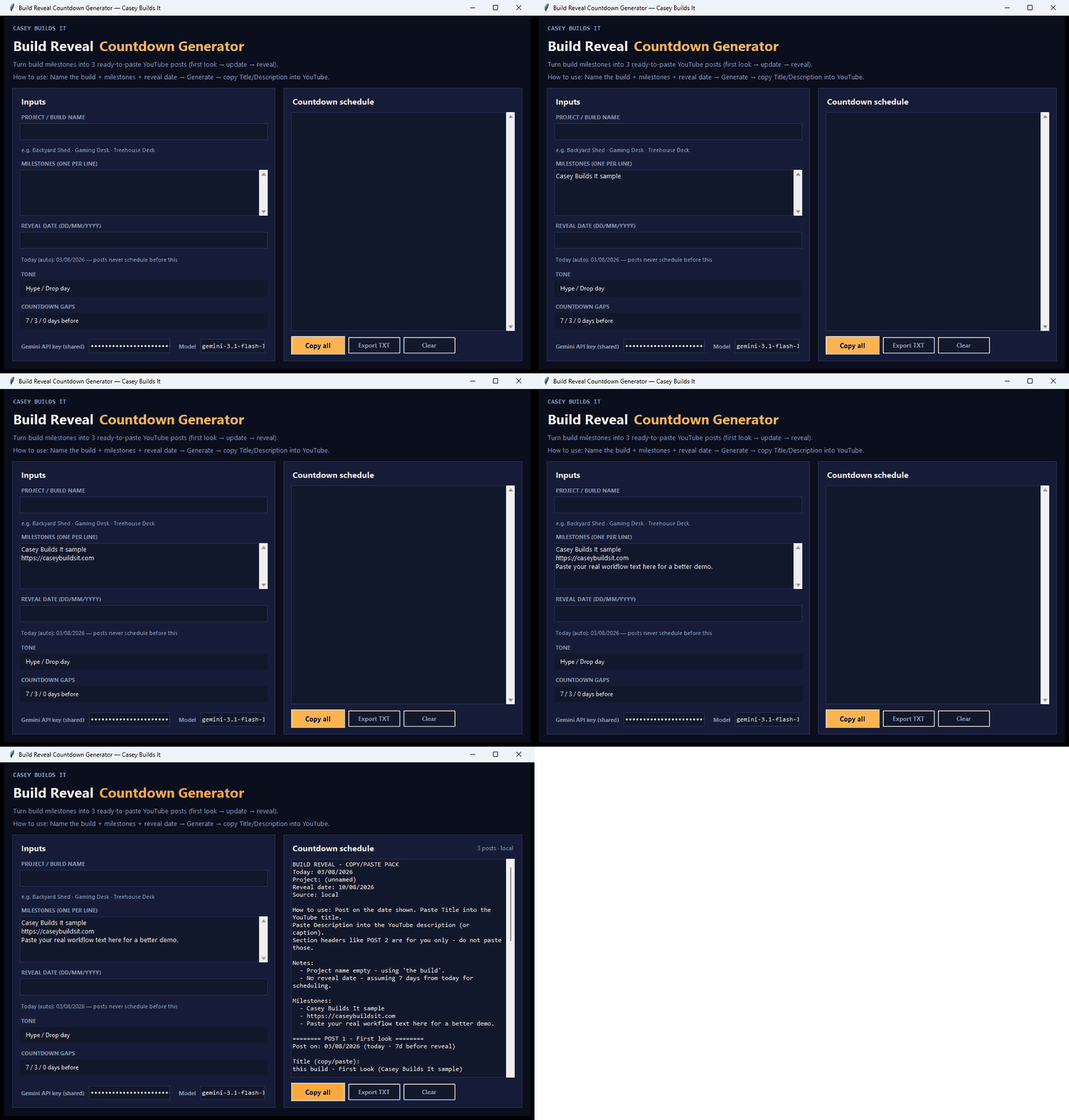
If your build reveals always end up with rushed, last-minute captions that sound flat, the problem isn't your project — it's your planning process. Instead of scrambling to write teaser posts the night before a big reveal, you can generate an entire countdown post schedule in minutes, with captions, descriptions, and hashtags already written for you.
What This Tool Does
The Build Reveal Countdown Generator takes a few simple inputs — your project name, key milestones, reveal date, tone, and countdown gaps — and turns them into a complete teaser-to-reveal post schedule. Instead of staring at a blank page trying to figure out what to post and when, you get a ready-made plan that carries your audience from the first teaser all the way to the final reveal.
Just enter your milestones (something like "foundation, framing, roof and doors, paint"), pick your reveal date, and the tool builds out post one, post two, post three, and so on, ending with your reveal-day copy. Add a Gemini API key and it will write the actual post text for you automatically, so you go from nothing to publish-ready content in seconds.
Why It Matters
Teaser posts are easy to overlook because they feel like a small part of the build, but they're often what builds anticipation and keeps people coming back to see the finished project. The problem is that writing fresh captions for every milestone update takes time most builders don't have — especially when you're deep in the actual work.
This tool removes that friction. Instead of rewriting the same generic captions every time, you get a structured, tone-consistent schedule that's planned out before you even start posting. That means less time thinking about what to say, and more time actually building.
How It Was Built
This entire tool was created inside Cursor using a single, simple prompt. No coding experience is required — you can take that same prompt, drop it into Cursor or any AI tool you prefer, and it will generate the Python tool for you from scratch.
You're also not locked into the exact version shown here. Since it's built from a prompt, you can customize it further with your own feature requests — for example, adding a YouTube API search to pull in multiple video updates automatically, or adjusting the tone and structure to match your own content style.
Key Takeaways
- Generates a full countdown post schedule from your project milestones and reveal date
- Auto-writes captions, descriptions, and hashtags for each post in the sequence
- Optional Gemini API integration writes the post text for you automatically
- Built entirely with a simple Cursor prompt — no coding experience needed
- Fully customizable, so you can add features like YouTube API search for video updates
Build Smarter, Not Last-Minute
Planning your reveal content ahead of time isn't just about saving effort — it's about showing up consistently and professionally at every stage of your build. With a tool like this doing the heavy lifting on captions and scheduling, you can focus on the work itself and let your countdown posts take care of themselves.
Got questions about how this tool works, or an idea for a build tool you'd like to see next? Drop your thoughts in the comments. And if you want more practical, no-fluff build tools like this one, subscribe and follow along for the next build.