
Creators are risking strikes with bad betting
Betting sponsorships are one of the fastest ways to get flagged, demonetized, or hit with a strike if your disclosure isn't buttoned up. If you're running gambling, supplement, or merch promos without a compliant disclaimer in your description, you're not just gambling with your audience's money — you're gambling with your channel's monetization.
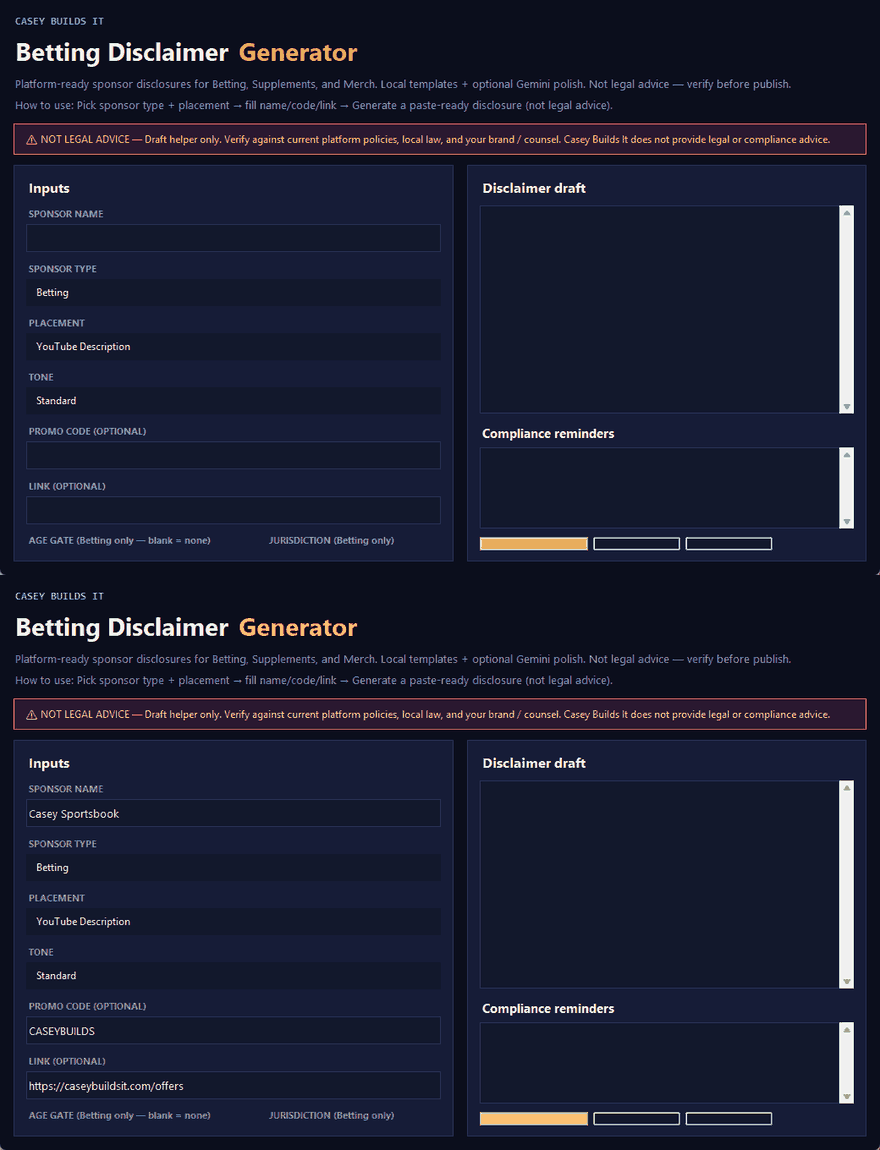
This build fixes that in seconds: a betting disclaimer generator that takes your sponsorship details and outputs a ready-to-use disclaimer you can drop straight into your video description.
What the Tool Does
The generator asks for the details that actually matter for compliance: the sponsor's name, the sponsorship type, any promo codes, the promoted link, age restrictions, allowed states or regions, and extra notes if the deal needs them. Hit generate, and it spits out a clean, usable disclaimer built from that info.
For creators who want more depth, there's an option to connect a Gemini API key. That upgrades the output into a more detailed, customized disclaimer instead of the standard template.
Why This Matters for Creators
Platforms are cracking down hard on betting and gambling promotions, and a lot of creators get caught out not because they're trying to hide anything, but because they didn't know what a proper disclosure needed to include. Missing age restrictions, missing region restrictions, or a vague disclaimer can be enough to trigger a review or a strike.
Having a tool that standardizes this process removes the guesswork. You're not writing a disclaimer from memory or copying one from another creator and hoping it covers your specific deal — you're generating one built from your actual sponsorship terms every time.
How the Build Works
This tool was built entirely in Cursor. The process is the same one behind every tool on this site: start with a clear prompt describing exactly what the tool needs to do, let Cursor scaffold the logic and interface, then refine the inputs and outputs until the generator produces something genuinely usable.
The value of walking through the build isn't just the finished tool — it's seeing the exact prompt structure that got Cursor to build it correctly. That same approach can be adapted to generate other compliance or documentation tools for your own workflow, then run locally on your own machine.
Key Takeaways
- Betting and gambling sponsorships require proper disclosure to avoid demonetization or strikes
- The generator covers sponsor name, sponsorship type, promo codes, links, age restrictions, and regional restrictions
- An optional Gemini API connection produces more detailed, customized disclaimers
- The entire tool was built in Cursor using a documented, repeatable prompt process
Keep Building
This is one build in an ongoing series of practical tools made for creators and builders who want to solve real workflow problems without overcomplicating things. Follow along for the next build, and if there's a tool you wish existed for your own channel or workflow, send a message — custom builds and tweaks are always on the table.